FeedHive vs. ContentStudio vs. Auto Posts Who Masters AI Content Recycling?
Most of the engagement on social platforms like Facebook and Instagram happens within the first 48 hours.
After that, even the best-performing posts lose visibility, buried under the constant churn of new content.
For founders, the problem isn’t coming up with creative content.
They are short on TIME.
That’s where AI content recycling tools enter the picture. With the right execution, they can:
-
Extend the lifespan of existing posts
-
Refresh them automatically
-
Keep engagement running on autopilot.
So the real question is: how does a founder choose the best AI content recycling tool?
Quick answer: FeedHive, ContentStudio, and Auto Posts are leading the pack, and in this breakdown, they go head-to-head to see who truly masters AI-powered recycling.
What Makes an AI Content Recycling Tool Worth Using?

The best platforms for founders extend the lifespan of content and reduce the manual work of rewriting and reformatting.
Here are the features that matter most when evaluating AI-driven content tools:
1. AI Caption Variations
Strong recycling platforms generate new versions of a caption automatically, helping posts feel fresh without requiring founders to manually rewrite copy.
2. Platform-Specific Formatting
The tool should adapt each post to the requirements of TikTok, Instagram, LinkedIn, or X, automatically handling visuals, text length, and hashtags so the content fits the feed.
3. Smart Rescheduling
AI timing matters.
The best tools learn from engagement data and re-publish content at optimized windows, extending reach beyond the first 48 hours.
4. Trend-Aware Hashtag and Keyword Updates
Recycled posts stay relevant when AI refreshes hashtags and keywords based on current platform trends, rather than repeating stale metadata.
5. Analytics That Compare Originals vs. Reposts
Performance tracking should reveal whether recycled content outperforms or underperforms the original, closing the loop between AI automation and real engagement.
FeedHive vs. ContentStudio vs. Auto Posts: Who Masters AI Content Recycling?
At a Glance Comparison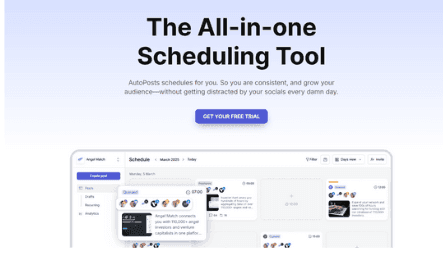
-Auto Posts
Auto Posts offers simplicity-first scheduling and reporting for founders who prioritize speed over complexity.

-FeedHive
FeedHive provides polished automation with AI-driven recycling suggestions and creative helpers.

ContentStudio
ContentStudio offers comprehensive social management, including AI-powered writing assistance, content discovery, and seamless team workflows.
Auto Posts: The Founder’s Shortcut to Effortless Output

A lean scheduler built for time-strapped teams that want quick setup, bulk workflows, and clear reporting, without heavyweight AI complexity.
Standout Features:
-
Cross-platform scheduling & publishing from a single dashboard (Facebook, Instagram, X/Twitter, LinkedIn, Telegram, VK, Pinterest, and more).
Bulk content import via Excel/CSV (including image links) to fill calendars months ahead. -
Analytics & automated email reports for weekly/monthly performance at a glance.
Pros:
-
Minimal learning curve; fast to operationalize for a solo founder or small team.
-
Scales batch work through CSV imports and repeatable schedules.
Cons:
-
No native AI copy generation or automated caption rewriting inside the tool (best paired with external AI like ChatGPT).
-
Lacks AI-driven “recycle suggestions” or smart variation testing found in more AI-heavy platforms.
Pricing:
-
Solo: $11/month (or $108/year): 1 user, 10 linked accounts, 250 daily RSS posts, unlimited publishing.
-
Business S: $20/month annual ($204/year): 5 users, 20 linked accounts, 500 daily RSS posts.
-
Business M: $40/month annual ($408/year): 10 users, 50 linked accounts
Who it fits:
Founders prioritize speed, clarity, and low-friction scheduling over embedded AI writing.
Teams that already draft in external AI tools and need a dependable hub for publishing and reporting.
FeedHive: Polished Scheduling Meets AI Flair

A creator-friendly platform that blends scheduling with AI helpers for ideation, hashtagging, and recycling suggestions.
Standout Features:
-
AI-assisted workflows with hashtag generation, creativity prompts (“Vibe Marketing”), and built-in writing aids.
-
AI suggests historically strong posts that are due for another run, complete with timing logic called “Recycle Posts”.
-
Modern scheduling and planning features (e.g., Instagram grid preview, carousels).
Pros:
-
Thoughtful AI layer that reduces ideation friction and surfaces what to recycle next.
-
Good balance of creation, planning, and execution in one interface.
Cons:
-
The richer feature set can introduce a steeper onboarding curve for minimalist teams.
-
Best results assume teams commit to FeedHive’s AI-first workflows (not ideal if a team insists on external-only writing).
Pricing:
-
Creator: $19/month: 4 socials, scheduling up to 14 days ahead, 30 scheduled posts, AI Writing Assistant.
-
Brand: $29/month: 10 socials, 60-day timeline, AI features including hashtag generation, collaboration tools.
-
Business: $99/month: 100 socials, unlimited posts, priority support.
-
Agency: $299/month: 500 socials, white-label options.
Who it fits:
Content-heavy founders and small teams that want AI to guide repurposing decisions and help maintain a steady stream of on-brand variations without juggling multiple tools.
ContentStudio: The All-in-One Social Media Workhorse

A comprehensive suite for publishing, discovery, and collaboration, with an integrated AI Assistant for rewriting, tone control, and content variations.
Features:
-
Multi-platform publishing and analytics from a unified dashboard.
-
AI Assistant for rephrasing, tone selection, and generating multiple caption variations; built-in hashtag tools.
-
Content discovery and repurposing playbooks that help adapt assets across networks.
Pros:
-
A deep, all-in-one toolkit such as creation, distribution, collaboration, and optimization in one place.
-
AI writing support reduces manual caption editing and accelerates repurposing.
Cons:
-
Feature breadth can feel bloated for solo founders who only need scheduling and light reporting.
-
Teams focused purely on rapid scheduling might find the extra modules underutilized.
Pricing:
-
Starter: $25/month: 1 workspace, 5 social accounts, AI writer (10K words + 10 images/month).
-
Pro: $49/month: Up to 10 social accounts, AI writer (20K words + 10 images), team features, automation campaigns.
-
Agency: $99/month: Up to 25 social accounts, AI writer (50K words + 20 images), competitor analytics, client dashboards.
Who it fits:
Agencies and startups managing multiple brands or accounts that need team workflows, discovery, and integrated AI copy assistance alongside publishing and analytics.
The Auto Posts Speciality: What Users Appreciate
Here are two G2 quotes reflecting what users value in Auto Posts:
“The best thing about Pur Social is that it streamlines the scheduling, publishing, and analysis of posts across multiple social media platforms. It also has a user-friendly interface…” — Rishabh B., G2
“The best part about Auto Posts is the ability to schedule and manage posts for my different social media accounts... The interface is intuitive and easy to learn… It also sends me my account performance report through email.” — Aamna B, G2.
The FeedHive Specialty: What People Say
Here are three verbatim comments from G2 users highlighting what resonates most with them in FeedHive:
“The AI features and post scheduler features are excellent. The UI is fast and efficient. It just helps me get things done…” — Cameron E., Founder G2
“Love the content recycling feature and ease of use!” — Blamah S. G2
“Firstly, a very clean user interface makes no confusion at all… Third, the founder and the team keep rolling out new improvements…” — Hermes L. G2
The ContentStudio Speciality: What Real Users Are Saying
From G2, here are three word-for-word user praises about ContentStudio:
“ContentStudio is an easy-to-use platform, it's an amazing tool to save work time, and an all-in-one platform for social media management; it's everything my company needs.” — Charley G. G2
“ContentStudio allows me to save working time and helps me to schedule my publications. It is easy to use and configure.” — Jhon S. G2
“An amazing all-in-one social media platform… It has more or less all the features you could ask for… with excellent UI… emphasis on automation and content curation.” — Lawrence G. G2
The Winner, Our Takeaway:
Crowning one tool as the best AI content recycler would be a bit dishonest.
However, the most practical AI content recycling tool is hands down Auto Posts.
Despite compromising those agency-level features, most founders are only looking for a starting point, and Auto Posts promises that.
Likewise, if a founder is well-aware of AI tools and wants to squeeze the absolute most out of their AI budget, we’d recommend FeedHive.
It’s pricier, yes, but its AI-driven post generator and analytics make it the powerhouse choice for those who want the sharpest edge in automation.
Sitting neatly in between is ContentStudio, not the cheapest, not the flashiest, but a solid fit for agencies or teams who need workflows, client reporting, and more than just content recycling.